MeetGeek Review 2026: Is it worth it?

4.3★
Rating
$10/mo
Starting price
Yes
Free plan
Affiliate link - we earn a commission at no extra cost to you
4.3★
Rating
$10/mo
Price
Yes
Free plan
50,000+ teams
Users
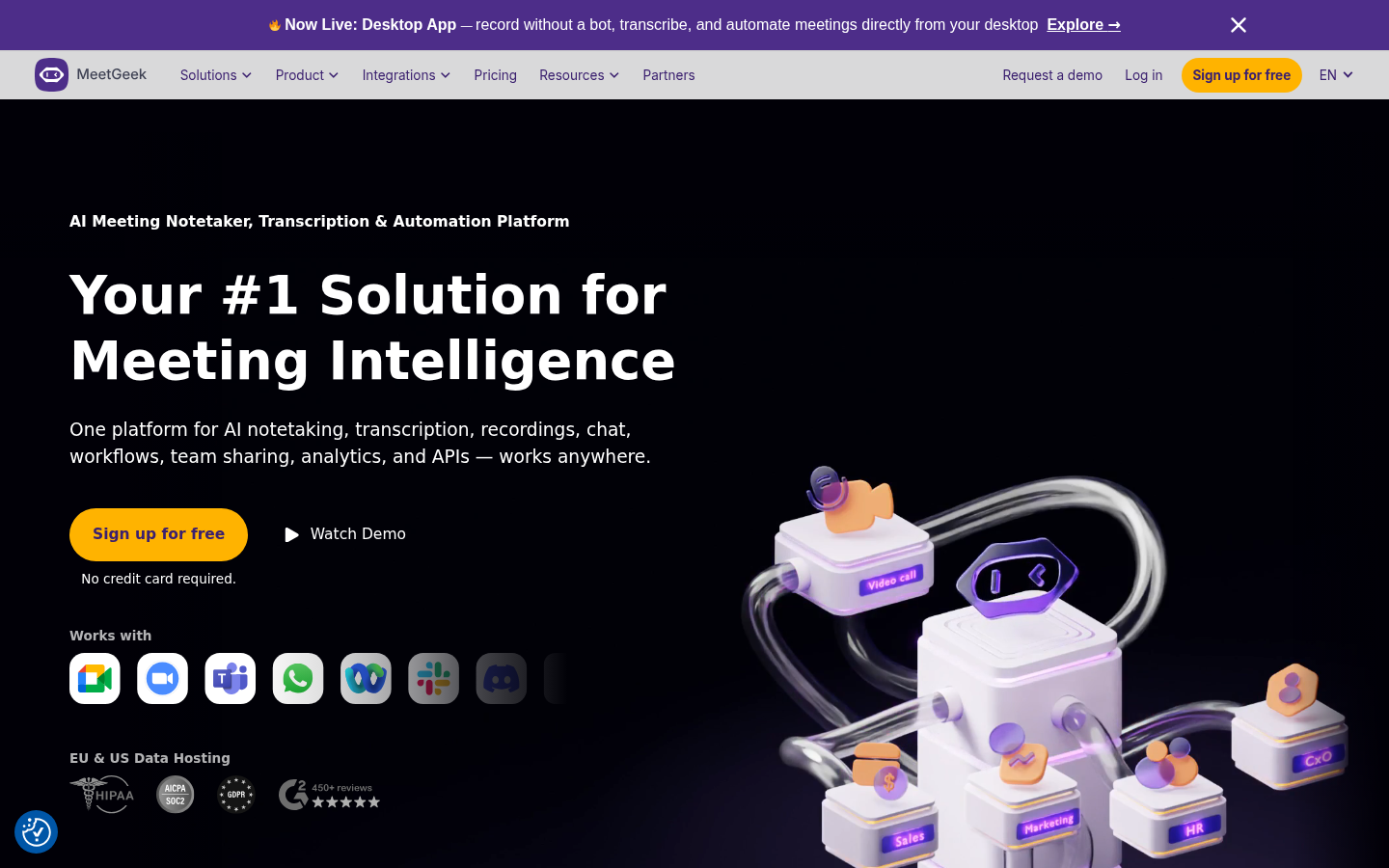
MeetGeek homepage
Disclosure: This review contains affiliate links. If you purchase through our links, we may earn a commission at no extra cost to you. We tested MeetGeek across 30+ real meetings before writing this review.
TL;DR: MeetGeek is the AI meeting assistant built for managers and teams who want more than just transcripts. It combines solid AI note-taking with a meeting analytics dashboard that shows you who talks most, how engaged participants are, and what topics come up repeatedly across meetings. If you want insights into your meeting culture, not just records of individual calls, MeetGeek is worth a serious look.
Quick Facts
- Best for: Managers, team leads, organizations wanting meeting analytics and insights
- Pricing: Free (5 hours/month), Pro at $15/month, Business at $29/month, Enterprise custom
- Platforms: Zoom, Google Meet, Microsoft Teams, Webex, and any platform with a calendar invite
- Free plan: 5 hours/month transcription, limited AI summaries
- Security: SOC 2 Type 2, GDPR compliant
- Integrations: Slack, Notion, Trello, Asana, Zapier, and major CRMs
We Tested MeetGeek for 30+ Meetings
We ran MeetGeek through more than 30 meetings across different contexts: weekly team standups, 1:1 manager check-ins, sales demos, and external client calls. We tested across all three major platforms - Zoom, Google Meet, and Teams - and pushed into the analytics features that distinguish MeetGeek from simpler transcription tools.
The thing that becomes clear quickly is that MeetGeek is built around a different value proposition than most meeting assistants. While tools like Fathom focus on making individual meeting notes effortless, MeetGeek is designed to surface patterns across meetings over time. The analytics dashboard is the real product. Everything else - the transcription, the summaries, the action items - is table stakes that MeetGeek also does well.
For individual users who just want notes from their own calls, MeetGeek works fine. But that is not where it earns its place. It earns its place when a manager or team lead looks at a month of data and sees which meetings are running long, which team members dominate conversations, and which topics come up again and again without resolution.
Key Features
AI Transcription and Summaries
MeetGeek joins your calls as a bot and records, transcribes, and summarizes every meeting automatically. The transcription quality is high - comparable to Fathom and Fireflies. Speaker diarization (the ability to identify who said what) works reliably when participants have distinct audio profiles.
After each meeting, MeetGeek generates a summary that includes an overview, key decisions, action items with owners, and a full timestamped transcript. The summaries are clean and readable. In our testing, accuracy on action item extraction was strong - items were captured correctly and attributed to the right speaker about 85 to 90 percent of the time.
Meeting Templates - Customizable for Every Meeting Type
This is one of MeetGeek's most distinctive features and one of the reasons it stands out for teams with standardized meeting processes.
MeetGeek lets you create custom templates for different meeting types. A 1:1 template might prompt the AI to capture items like goals discussed, blockers raised, and personal updates. A sales call template might capture budget, timeline, next steps, and objections. A standup template might extract what each person is working on and any blockers they mentioned.
Templates are applied based on calendar event titles or manually. When MeetGeek processes a meeting using a template, the resulting summary is structured according to that template rather than generic AI extraction. The output is more consistent and more actionable for recurring meeting formats.
This feature is available on the Pro plan. For teams that run structured meetings - sales teams with consistent call formats, managers with standardized 1:1 frameworks, companies with meeting templates in their operating system - this is a strong differentiator.
Meeting Analytics Dashboard
This is what makes MeetGeek unique in the category. The analytics dashboard aggregates data across all your recorded meetings and surfaces insights about your meeting patterns and behaviors.
Metrics available in the analytics dashboard include talk time by participant (what percentage of the meeting each person spoke), topic coverage (what subjects came up and how often), meeting length trends over time, engagement scores, and sentiment analysis.
For a manager or team lead, this data is genuinely useful. If you look at a month of 1:1s and see that you are doing 80 percent of the talking in most of them, that is actionable. If you see that "budget" comes up in every sales call but rarely reaches resolution, that is a signal about your sales process. If meetings are consistently running 15 minutes over schedule, the data tells you that.
The analytics dashboard is available on the Business plan. It requires that enough meetings be recorded over a sufficient period to generate meaningful patterns - you will not learn much from two weeks of data, but two or three months of consistent recording produces genuinely interesting insights.
Action Items and Follow-Ups
MeetGeek automatically extracts action items from meeting transcripts and generates a list of follow-ups attributed to specific participants. You can push these action items to connected project management tools including Trello, Asana, and Notion via direct integrations or through Zapier.
In our testing, this worked reliably for clearly stated action items - commitments where someone explicitly said "I will do X by Y." It was less reliable for implicit commitments buried in discussion. That caveat applies to all meeting assistant tools equally; the extraction quality depends heavily on how explicitly decisions are stated in the meeting itself.
Integrations - Slack, Notion, CRMs, and Zapier
MeetGeek integrates with a broad set of tools. The most commonly used integrations include Slack (post summaries to channels automatically), Notion (push notes to a connected workspace), Trello and Asana (sync action items), and CRMs via Zapier or direct connections.
The Slack integration works the same way as competitors: configure a channel, and meeting summaries arrive there automatically after each call. The Notion integration is more powerful - you can configure MeetGeek to push formatted meeting notes into a Notion database, creating a searchable archive of every meeting with consistent structure.
CRM integration is available but less direct than Fathom's native Salesforce and HubSpot sync. MeetGeek relies more on Zapier for CRM connections, which is flexible but requires some setup.
Highlights and Clips
Like most meeting assistants, MeetGeek lets you mark key moments in transcripts and create shareable clips. You can highlight a segment, add a note, and share it with teammates or stakeholders who were not in the meeting.
This is straightforward and works as expected. The implementation is not notably better or worse than competitors.
Multi-Platform Support - Zoom, Meet, Teams, Webex
MeetGeek supports all four major video conferencing platforms: Zoom, Google Meet, Microsoft Teams, and Webex. It also works with any meeting that appears in your calendar - if there is a calendar event with a video link, MeetGeek can join it.
This broader platform support is an advantage over Fathom, which does not support Webex. For organizations that use Webex - common in enterprise and government contexts - MeetGeek is one of the few meeting assistants that handles it reliably.
Pricing - All Plans Explained
Free Plan
The free plan includes up to 5 hours of meeting transcription per month. AI summaries are limited to a smaller number per month. Basic highlights and clips are available. Integrations are restricted to a subset of what paid plans offer. The free plan is sufficient for occasional users who want to try the product before paying.
Note that 5 hours per month translates to roughly 10 to 12 standard one-hour meetings. For anyone with a full meeting schedule, this will not cover everything.
Pro Plan - $15 per month
The Pro plan removes the 5-hour monthly cap and provides unlimited meeting transcription. Meeting templates are included at this tier. All integrations are available, including Slack, Notion, and Zapier. This is the right plan for individuals who have regular meetings and want to use MeetGeek consistently without tracking hours.
Business Plan - $29 per month
The Business plan adds the meeting analytics dashboard and team performance reports. This is the tier where MeetGeek's full value proposition becomes accessible. If the analytics features are the reason you are considering MeetGeek - and they are the best reason - you need the Business plan. It also includes team workspaces and admin controls for managing multiple users.
Enterprise - Custom pricing
Enterprise adds SSO, advanced security controls, dedicated support, custom data retention, and SLA guarantees. Pricing is negotiated based on organization size and requirements.
Pros
- Meeting analytics dashboard is genuinely unique - surfaces patterns across meetings over time
- Customizable meeting templates create consistent, structured summaries for recurring meeting types
- Broad platform support including Webex, which many competitors do not support
- Transcription quality is high and speaker identification is reliable
- Integration with Notion, Trello, Asana, and Zapier covers most team workflows
- Clean, readable summaries that can be shared without editing
- SOC 2 Type 2 certified and GDPR compliant
Cons
- Analytics dashboard requires the Business plan at $29/month - not available at lower tiers
- Meeting templates also require Pro - the free plan does not include them
- Free plan cap at 5 hours/month is restrictive compared to Fathom's unlimited free tier
- CRM integration relies primarily on Zapier rather than native direct sync, which requires more setup
- Analytics value requires consistent use over multiple months to generate meaningful patterns
- The onboarding to analytics features is not as intuitive as the basic transcription features
Who MeetGeek Is Best For
Managers and team leads who want visibility into their team's meeting patterns are the primary audience for MeetGeek's analytics features. If you want to understand who dominates conversations, how meetings are tracking against agendas, and which topics surface repeatedly, the analytics dashboard is built for you.
Teams with standardized meeting processes benefit most from the template system. Sales teams with a defined call framework, companies using structured 1:1 methodologies, or any organization with a repeating meeting format will find the template feature creates more useful, more consistent output.
Organizations using Webex should consider MeetGeek as it is one of the few tools that supports Webex reliably alongside Zoom, Meet, and Teams.
Individuals with heavy meeting schedules who have outgrown the free plan of other tools will find the Pro plan at $15/month competitive and the unlimited transcription genuinely useful.
Small companies wanting to improve meeting culture can use the analytics data to make meetings shorter, more balanced in participation, and more action-oriented over time.
Security and Privacy
MeetGeek maintains the security credentials expected for a tool processing sensitive business meeting content:
- SOC 2 Type 2 certified - independently verified security controls
- GDPR compliant - suitable for EU organizations and any company with EU data obligations
- Meeting consent - the bot announces itself when joining calls
- Data retention controls - users can delete recordings and transcripts on demand
- Encryption - data is encrypted in transit and at rest
For Enterprise customers, additional controls are available including SSO and custom data retention policies.
Top Alternatives to MeetGeek
Fathom AI - Better free plan (unlimited vs 5 hours/month). Less analytics, but cleaner experience for basic note-taking. Better native Zoom integration. Best for individuals who want the simplest solution at no cost.
Fireflies.ai - Similar feature set with strong search across your entire meeting archive. Good analytics features on paid plans. Competitive pricing.
Avoma - More expensive but adds conversation coaching, deal intelligence, and deeper CRM integration. The full revenue intelligence platform for sales teams who need more than analytics.
tl;dv - Simpler, cleaner experience focused on highlights and clips. Strong European privacy credentials. Better for smaller teams that want a no-fuss recorder without the analytics layer.
Otter.ai - Strong live transcription, better for in-person meetings, and popular in education. Less suited to team analytics use cases.
Frequently Asked Questions
Q: Is MeetGeek free?
A: MeetGeek has a free plan that includes 5 hours of meeting transcription per month. This covers roughly 10 to 12 standard one-hour meetings. AI summaries and basic features are included on the free plan. Meeting templates and the analytics dashboard require paid plans starting at $15/month for Pro and $29/month for Business.
Q: Does MeetGeek work with Microsoft Teams?
A: Yes. MeetGeek supports Zoom, Google Meet, Microsoft Teams, and Webex. It joins calls as a bot participant. Microsoft Teams enterprise configurations that restrict external bots may require IT approval to allow the MeetGeek bot.
Q: How does MeetGeek's analytics dashboard work?
A: The analytics dashboard aggregates data from all your recorded meetings and shows patterns over time. Metrics include talk time by participant, topic frequency, meeting length trends, engagement scores, and sentiment analysis. You need the Business plan ($29/month) to access analytics. The insights become more meaningful as you accumulate more meeting data over weeks and months.
Q: How do I cancel my MeetGeek subscription?
A: You can cancel from the account settings within the MeetGeek web app. Cancellation is self-service and takes effect at the end of your current billing period. After cancellation, your account reverts to the free plan. Existing recordings and transcripts are retained unless you choose to delete them.
Q: Is MeetGeek safe for enterprise use?
A: MeetGeek is SOC 2 Type 2 certified and GDPR compliant, which satisfies most enterprise security requirements. The Enterprise plan adds SSO, audit logs, and custom data retention. Check with your IT and legal teams regarding any specific requirements for AI meeting recording tools in your organization.
Q: What is the best alternative to MeetGeek?
A: It depends on your use case. For a better free plan with unlimited recordings, Fathom is the best alternative. For sales teams needing conversation intelligence and CRM integration, Avoma is more powerful. For a similar feature set at a competitive price with strong search across your meeting archive, Fireflies.ai is worth comparing.
Q: Can MeetGeek record in-person meetings?
A: MeetGeek is designed for virtual meetings on supported platforms. It does not have a dedicated in-person recording mode. For in-person meetings, Otter.ai with its mobile app is a better option.
Verdict
MeetGeek is the best meeting assistant for managers and teams who want to understand their meeting patterns, not just capture individual call notes. The analytics dashboard is genuinely differentiated in a crowded market where most tools offer essentially the same transcription and summarization features.
The free plan is limited at 5 hours/month, which is a real constraint compared to Fathom. If you just want free unlimited notes, start there instead. But if you want meeting templates that structure your standups and 1:1s consistently, or if you want data on whether your team's meetings are actually productive, MeetGeek earns its $29/month Business plan price.
Rating: 4.4/5. The analytics features and template system are MeetGeek's strongest arguments. Platform breadth including Webex is a practical advantage. The main weakness is that the most compelling features live behind the Business plan, so you need to commit to $29/month to get the full picture.
Ratings by category
Pros & cons
Our verdict
MeetGeek delivers one of the most complete meeting intelligence platforms in its price range, combining accurate transcription, actionable AI summaries, and differentiated analytics that competitors lack. Bot reliability and storage limits on lower plans hold it back from a perfect score.
4.3/5
comparing 6 categories
Pros
- Sales teams and managers who want to analyze rep talk ratios, sentiment, and coaching opportunities from recorded calls
- SMB founders and consultants who attend 5-15 meetings per week and need searchable, auto-shared documentation
- Remote-first teams using Google Meet, Zoom, or Teams who want CRM and Slack auto-sync without manual copy-paste
- Recruiting teams needing automatic interview transcription linked to Greenhouse ATS
- Non-native English speakers who need contextually accurate transcription above basic competitors
Cons
- Solo users with very few monthly meetings who will bump against the 3h free cap frequently and do not need a paid tier
- Teams requiring deep Notion or ClickUp integration as primary workflow, Fireflies.ai handles those better
- Organizations in highly regulated industries needing granular audit logs, Enterprise plan required, not self-serve
- Users who need real-time live captions during meetings, MeetGeek post-processes and does not provide live transcript view
- Teams where non-participants frequently get added to meetings spontaneously, bot requires advance calendar notice
Plans & pricing
| Plan | Price | Features |
|---|---|---|
| Free | Free Forever free, no credit card | 3h/month transcription, 100+ languages, Unlimited AI summaries, Mobile apps |
| Pro | $10/mo $9.99/user/month (save up to 40% annual) | 20h/month transcription, Meeting templates, AI Chat, Personal analytics |
| Business | $17/mo $17/user/month (save up to 40% annual) | Unlimited transcription, HD video recording, Team spaces, Team analytics |
| Enterprise | Free Custom pricing - contact sales | SSO/SCIM, Zero-data retention, Custom avatars, Dedicated account manager |
Final verdict
4.3/5
MeetGeek delivers one of the most complete meeting intelligence platforms in its price range, combining accurate transcription, actionable AI summaries, and differentiated analytics that competitors lack. Bot reliability and storage limits on lower plans hold it back from a perfect score.
If MeetGeek is not for you
Alternatives worth considering:

Fireflies.ai
Transcribe, summarize, search, and analyze all your team conversations automatically.
Try Fireflies.ai→
Otter.ai
Turn meetings into transcripts, summaries, action items, and more with Otter AI.
Try Otter.ai→
tl;dv
Record, transcribe, and transform meetings into actionable insights. The most generous free tier in the category.
Try tl;dv→
Fathom
The most generous free AI meeting recorder - unlimited recordings, transcription, and storage at no cost.
Try Fathom→
Avoma
An all-in-one AI platform for meeting notes, scheduling, coaching, and revenue intelligence.
Try Avoma→